How to Sign In to Medicaid: Find Your State Medicaid Portal
Sources checked October 8, 2026. To sign in to Medicaid, start with the agency that manages your state’s program. There is no single national Medicaid case-login page. If you are unsure where to go, use Medicaid.gov’s state agency directory to find the agency and follow its link to the appropriate benefits account.
This guide is for people applying for or receiving Medicaid, and people helping them. It covers finding the correct account, using official mobile apps and resolving login problems. It does not determine eligibility or provide access to your case. Medicare365 is a private insurance agency, not a government agency, and cannot reset your state account password.
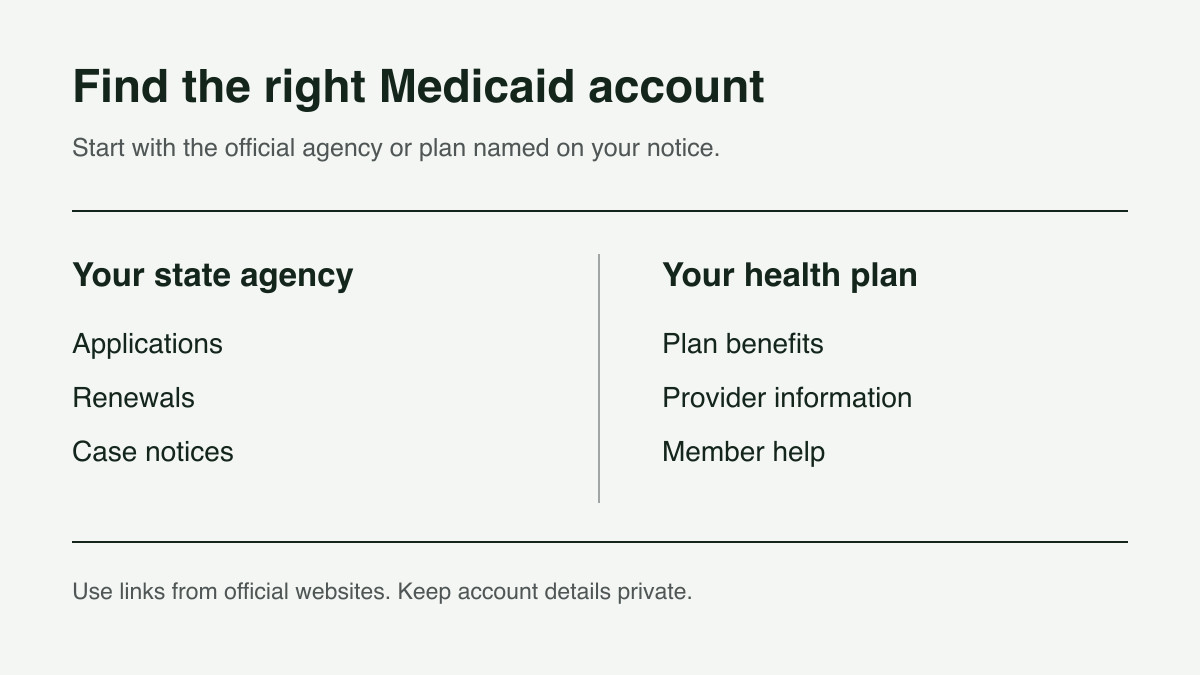
Find the right Medicaid account
Medicaid is a joint federal and state program. CMS explains that state Medicaid agencies handle eligibility and enrollment. The right sign-in depends on your state, your program and the task you want to complete. A benefits site may also handle food or cash assistance, so its name may not include “Medicaid.”
- Application, renewal or a case notice: follow the state or local agency instructions on your latest notice. The federal state directory is a starting point, not a national account or a list of guaranteed direct login pages.
- Health plan questions: if you belong to a Medicaid health plan, use the contact information on your plan card or its official member website. Ask the plan where to find its provider directory, ID card tools and benefit information.
- Provider or billing work: a link labeled “provider portal” or “MMIS” may be intended for health-care providers rather than members. Choose the resident or member route for your own benefits.
Official starting points for 10 states
These links lead to state guidance or official account pages. Use the national directory above for other states and territories. Some states have more than one route, and an existing case may stay with a particular agency. Follow your notice before creating a second account.
- California: DHCS Medi-Cal renewal guidance directs members to BenefitsCal for online renewal information and gives county-office alternatives.
- Florida: Florida DCF’s Medicaid page explains MyACCESS, locating your case number and recovering account access.
- Georgia: Georgia DFCS Medicaid guidance links to Georgia Gateway for applications and renewal submissions.
- Illinois: ABE offers Apply for Benefits and Manage My Case. The site explains account support and service interruptions.
- Michigan: MDHHS beneficiary support links to MI Bridges for case information and renewals, and distinguishes it from other health-coverage and enrollment tools.
- New York: New York’s Medicaid application guidance explains when to use NY State of Health or a local department of social services. The current guidance includes some people age 65 and older and some people with both Medicare and Medicaid in NY State of Health. Do not choose a route based on age alone.
- North Carolina: NC Medicaid’s application page links to ePASS and explains the NCID account used to access it.
- Ohio: Ohio Benefits account-login help explains the Self-Service Portal sign-in and its username and password recovery links.
- Pennsylvania: Pennsylvania’s Medicaid application page links to COMPASS for applying and renewing, and provides a separate application-status resource.
- Texas: Your Texas Benefits provides account access, case-management information and links to its official mobile app.
How to sign in and find your case
- Start with the official agency link. Check that the address matches the destination linked by your state. Official services may use a .com address, such as BenefitsCal, so a domain ending alone does not establish whether a site is appropriate.
- Use an existing account if you have one. Choose the site’s username or password recovery option before registering again. Follow its current instructions; account rules and recovery steps differ.
- Keep a recent notice nearby. If the site asks you to connect an existing case, use the identifier it requests. A case number and a health-plan member number may serve different purposes. Do not post either number in website comments.
- Complete the sign-in steps shown by the portal. If it uses a verification code, enter it only in the official sign-in process you started. Ask the agency for help if you cannot access the email address or phone number tied to your account.
- Check the case and requested task. Read notices and any request for documents. Confirm that an upload or form was submitted, and save the confirmation. Creating an account by itself does not establish that an application or renewal was submitted.
What you can do online depends on the state
For example, Illinois ABE Manage My Case describes application status, redetermination status, notices and reporting changes. Michigan’s beneficiary support page describes viewing case information, uploading documents, reporting changes and renewing through MI Bridges. Check your own portal’s available tools rather than assuming every state offers the same features.
Use the due date and instructions in your agency’s notice. If a renewal or document request is unclear, contact that agency. Do not rely on a generic yearly reminder or assume that seeing an account dashboard means your coverage has been renewed.
State benefits accounts and health plan accounts
Use the agency handling your case for eligibility and renewal questions. If you have a health plan, ask its member services team about your plan’s doctors, ID card and covered services. Michigan’s official support page, for example, lists separate tools for case management, health coverage and plan enrollment.
If you are looking for an OTC card balance or shopping account, begin with the plan or benefit administrator named on your card. Ask it to confirm whether your exact plan includes the benefit, the current coverage year and the correct login. A Medicaid sign-in account alone is not evidence that you have an OTC allowance. Our OTC benefits login guide can help you identify the type of account you are looking for.
Choosing an official Medicaid or benefits app
Use the app identified on your state agency’s or health plan’s official website. As one example, Your Texas Benefits links to its app and describes managing a case from a phone. The app and website may offer different functions. Check the official instructions for the task you need to complete.
Before downloading, compare the developer name and store listing with the link supplied by the agency. If an app is unavailable or you cannot use it, ask about browser access or another way to complete the task. Do not give your password to an unrelated “Medicaid app.”
Trouble signing in? Use the matching help route
- Forgotten username or password: use the recovery link on the official portal. Florida DCF’s account-help instructions explain how a case number from a notice can help with its process; other states may use different checks.
- Account locked or verification failing: follow the message on the site and contact its support team. Avoid guessing a lockout period or repeatedly creating accounts.
- Case missing after sign-in: confirm that you selected the correct program and agency. Ask the office handling your case how to link it. Do not assume a missing screen means your benefits were denied.
- Portal unavailable near a deadline: contact the agency promptly and ask how to submit the required information another way. Save the error message and time, but do not assume a website outage extends your deadline.
- No internet, language or accessibility needs: ask your agency about assistance and available submission methods. North Carolina’s guidance gives phone, in-person and other application options, along with language and communication assistance.
Keep your account information private
Return to the state agency’s official page if a link looks unfamiliar. Use a password that you do not reuse elsewhere, sign out on shared devices, and keep verification codes private. Ask the agency directly about any request to pay a fee or provide payment-card information before you act. This website does not need your Medicaid ID, password, Social Security number or documents to help you find the correct public resource.
If you also have Medicare
Use the agency identified on your Medicaid notices for your Medicaid case. Do not assume that a Medicare account, health-plan account or Social Security account will display the same information. If you are unsure which office sent a notice, contact the sender using independently verified contact details before providing personal information.
Before you leave the portal
- Check that your contact details are correct.
- Read the latest notice and record any due date.
- Save the submission confirmation or the support reference number.
- Keep unresolved questions on a private checklist for the agency.
- Sign out if you used a shared device.
Prepared with AI assistance using the official sources linked in this guide. Portal features and agency routing can change. For a decision about your case, contact your state Medicaid agency or the office named on your notice. Recheck links and instructions when that agency announces a change.
Related reading: how to apply for an OTC card with Medicaid and Medicaid OTC benefits by plan.